


在C语言中遍历文件夹下所有文件
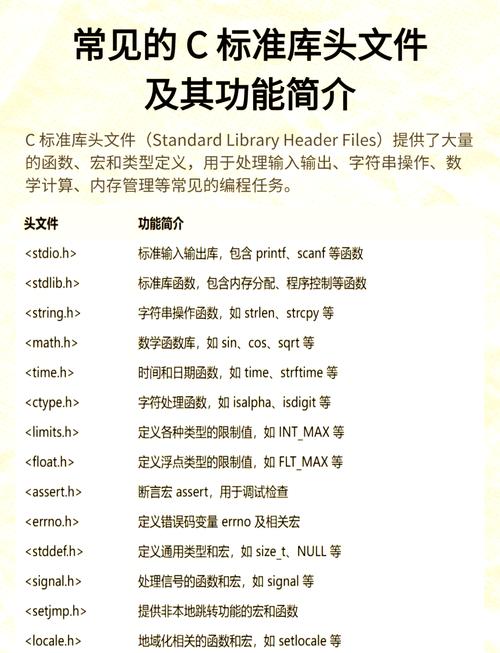
在C语言中遍历文件夹下的所有文件,可以使用<dirent.h>头文件中的函数,以下是几种常见的方法:
(图片来源网络,侵删)
方法1:使用opendir()和readdir()
#include <stdio.h>
#include <dirent.h>
#include <sys/stat.h>
void list_files(const char *path) {
    DIR *dir;
    struct dirent *entry;
    struct stat statbuf;
    // 打开目录
    if ((dir = opendir(path)) == NULL) {
        perror("无法打开目录");
        return;
    }
    // 读取目录中的每个条目
    while ((entry = readdir(dir)) != NULL) {
        // 跳过"."和".."
        if (strcmp(entry->d_name, ".") == 0 || strcmp(entry->d_name, "..") == 0)
            continue;
        // 构建完整路径
        char full_path[1024];
        snprintf(full_path, sizeof(full_path), "%s/%s", path, entry->d_name);
        // 获取文件信息
        if (stat(full_path, &statbuf) == -1) {
            perror("无法获取文件信息");
            continue;
        }
        // 如果是目录,递归处理
        if (S_ISDIR(statbuf.st_mode)) {
            printf("目录: %s\n", full_path);
            list_files(full_path); // 递归遍历子目录
        } else {
            printf("文件: %s\n", full_path);
        }
    }
    closedir(dir);
}
int main() {
    const char *path = "."; // 当前目录
    list_files(path);
    return 0;
}
方法2:使用scandir()函数(POSIX标准)
#include <stdio.h>
#include <dirent.h>
#include <stdlib.h>
int list_files(const char *path) {
    struct dirent **namelist;
    int n;
    // 获取目录中所有条目
    n = scandir(path, &namelist, NULL, alphasort);
    if (n < 0) {
        perror("无法扫描目录");
        return -1;
    }
    // 遍历所有条目
    for (int i = 0; i < n; i++) {
        // 跳过"."和".."
        if (strcmp(namelist[i]->d_name, ".") == 0 || strcmp(namelist[i]->d_name, "..") == 0) {
            free(namelist[i]);
            continue;
        }
        printf("%s\n", namelist[i]->d_name);
        free(namelist[i]);
    }
    free(namelist);
    return 0;
}
int main() {
    const char *path = "."; // 当前目录
    list_files(path);
    return 0;
}
方法3:使用glob()函数(匹配特定模式)
#include <stdio.h>
 <glob.h>
#include <stdlib.h>
void list_files_with_pattern(const char *path, const char *pattern) {
    glob_t glob_result;
    char full_pattern[1024];
    // 构建完整模式
    snprintf(full_pattern, sizeof(full_pattern), "%s/%s", path, pattern);
    // 查找匹配的文件
    if (glob(full_pattern, GLOB_TILDE, NULL, &glob_result) != 0) {
        perror("glob() 失败");
        return;
    }
    // 打印匹配的文件
    for (size_t i = 0; i < glob_result.gl_pathc; i++) {
        printf("%s\n", glob_result.gl_pathv[i]);
    }
    globfree(&glob_result);
}
int main() {
    const char *path = "."; // 当前目录
    list_files_with_pattern(path, "*"); // 匹配所有文件
    return 0;
}
注意事项
- 这些代码在Linux/Unix系统上工作良好,在Windows上,可能需要使用
<windows.h>中的函数。 - 递归遍历可能会遇到深层目录或循环链接,需要添加适当的错误处理和限制。
- 对于大型目录,
scandir()可能比opendir()/readdir()更高效,因为它一次性获取所有条目。 - 确保检查所有系统调用的返回值,并处理可能的错误。
选择哪种方法取决于你的具体需求和运行环境,第一种方法(opendir/readdir)是最通用的方法,适用于大多数Unix-like系统。
(图片来源网络,侵删)


