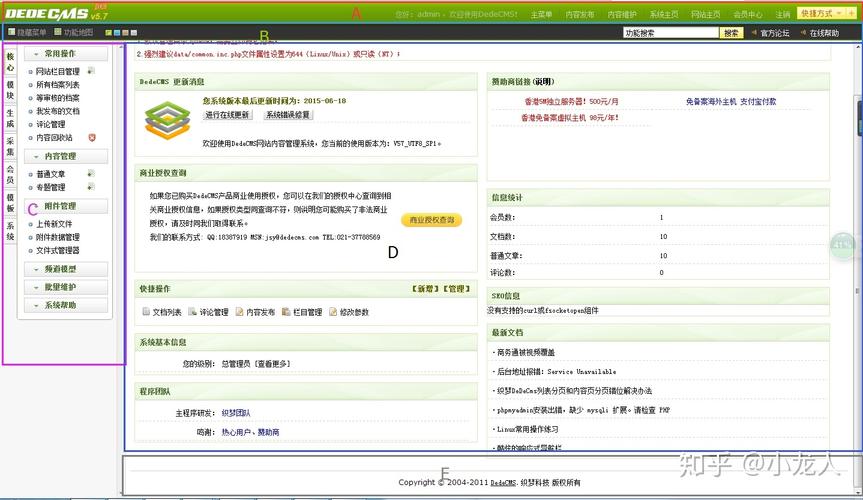
Of course. Let's break down the index.php file for DedeCMS (织梦内容管理系统). This file is the heart of the front-end, responsible for loading the system and processing user requests to display the correct page.
Summary
In short, index.php is the main entry point for all public-facing requests in a DedeCMS website. Its primary jobs are:
- Load the Core: It includes and initializes all the necessary core files of DedeCMS.
- Handle Requests: It checks the URL to understand what the user is asking for (e.g., a specific article, a category, a search result).
- Delegate to the Engine: It passes the request to the core engine (
dede.php). - Display the Page: It takes the HTML generated by the engine and sends it to the user's browser.
Detailed Breakdown of the Code
Here is a typical index.php file for DedeCMS with line-by-line explanations.
<?php
/**
 * The main entrance file of DedeCMS
 *
 * @version        $Id: index.php 1 2010-07-05 11:43:09Z tianya $
 * @package        DedeCMS.Site
 * @copyright      Copyright (c) 2007 - 2010, DesDev, Inc.
 * @license        http://help.dedecms.com/usersguide/license.html
 * @link           http://www.dedecms.com
 */
// ------------------------------
// 安全检查:防止直接访问核心文件
// ------------------------------
// (Security Check: Prevent direct access to core files)
if(!file_exists(dirname(__FILE__).'/common.inc.php'))
{
    if(!file_exists(dirname(__FILE__).'/install/install_lock.txt'))
    {
        header('Location:install/index.php');
    }
    else
    {
        die('Fatal Error: config file not found!');
    }
}
require_once(dirname(__FILE__).'/common.inc.php');
// ------------------------------
// 加载并初始化核心引擎
// ------------------------------
// (Load and initialize the core engine)
require_once(DEDEINC.'/arc.partview.class.php');
// ------------------------------
// 根据请求类型处理并显示页面
// ------------------------------
// (Process and display the page based on the request type)
if(!isset($dopost))
{
    $dopost = '';
}
// 处理搜索请求
// (Handle search requests)
if($dopost=='search')
{
    require_once(DEDEINC.'/search.class.php');
    $search = new Search();
    $search->PrintAutoKeyword();
    exit();
}
// 处理会员空间主页
// (Handle member space homepage)
else if($dopost=='space')
{
    $uid = isset($uid) && is_numeric($uid) ? $uid : 0;
    require_once(DEDEINC.'/member/space.php');
    $space = new Space($uid);
    $space->Display();
    exit();
}
// 处理标签首页
// (Handle tag homepage)
else if($dopost=='tag')
{
    $tag = isset($tag) ? trim($tag) : '';
    require_once(DEDEINC.'/taglib/hotwords.lib.php');
    require_once(DEDEINC.'/arc.taglist.class.php');
    $TL = new TagList($tag);
    $TL->Display();
    exit();
}
// ------------------------------
// 默认情况:显示网站首页或指定栏目页
// ------------------------------
// (Default case: Display the website homepage or a specified category page)
else
{
    // 获取模板文件路径
    // (Get the template file path)
    $templet = isset($templet) ? trim($templet) : '';
    $tempfile = '';
    // 检查是否通过URL参数指定了模板
    // (Check if a template is specified via URL parameter)
    if($templet!='')
    {
        $tempfile = DEDEROOT.'/'.$templet;
    }
    // 如果没有指定模板,则使用默认的首页模板
    // (If no template is specified, use the default homepage template)
    else
    {
        $tempfile = $cfg_basedir.$cfg_templets_dir.'/'.$cfg_defaultstyle.'/'.$cfg_indexname;
    }
    // 创建并实例化一个视图对象
    // (Create and instantiate a view object)
    $pv = new PartView();
    // 设置视图模板
    // (Set the view template)
    $pv->SetTemplet($tempfile);
    // 显示页面
    // (Display the page)
    $pv->Display();
}
?>
Step-by-Step Flow of Execution
-
Initial Security Check (Lines 11-20)
- The first thing it does is check if
common.inc.phpexists in the same directory. This file is crucial as it contains the database connection details, global configurations, and other fundamental settings. - If
common.inc.phpis missing, it checks for aninstall_lock.txtfile. If that's also missing, it assumes the site hasn't been installed yet and redirects the user to the/install/directory. - If the lock file exists but
common.inc.phpis missing, it throws a fatal error, as the installation is complete but the core configuration is gone.
- The first thing it does is check if
-
Load the Core Engine (Line 24)
 (图片来源网络,侵删)
require_once(DEDEINC.'/arc.partview.class.php');- This line loads the
PartViewclass. This class is responsible for parsing DedeCMS's template files (.htm) and replacing the special tags (like{dede:arclist}) with actual content from the database. It's the template rendering engine.
-
Handle Specific Actions (The
if/else ifblock)- The code checks for the
$dopostvariable in the URL. This variable is used to trigger special, non-standard pages. $dopost == 'search': If the URL containsdopost=search, it loads the search functionality class (search.class.php) and executes a search.$dopost == 'space': Ifdopost=space, it loads the member profile page. The$uidparameter specifies which member's space to view.$dopost == 'tag': Ifdopost=tag, it loads the tag page, showing all articles associated with a specific tag (passed in the$tagparameter).
- The code checks for the
-
Default Action: Display the Homepage (The
elseblock)- This is the most common path. If none of the special
$dopostactions are triggered, this code runs. - Determine Template (Lines 40-49): It figures out which template file to use.
- It first checks if a template is specified directly in the URL (e.g.,
index.php?templet=myhome/index.htm). This is useful for theme switching. - If not, it constructs the path to the default homepage template, which is usually located in
/templets/default/(or your current theme folder) and is namedindex.htm.
- It first checks if a template is specified directly in the URL (e.g.,
- Create View Object (Line 53):
$pv = new PartView();It creates a new instance of the template engine we loaded earlier. - Set and Display Template (Lines 56-58):
$pv->SetTemplet($tempfile);tells the engine which template file to parse.$pv->Display();is the final command. It tells the engine to parse the template, fetch the necessary data from the database (articles, ads, etc.), replace all the template tags, and output the final HTML to the browser.
- This is the most common path. If none of the special
Common Uses and Customization
- Changing the Homepage Template: You don't edit
index.phpfor this. You simply go to the DedeCMS backend (后台) -> Templates (模板) -> Default Template Settings (默认模板设置) and change the "Homepage Template" (主页模板) to the name of your new template file (e.g.,newindex.htm). - Adding a Custom Landing Page: You can create a new PHP file (e.g.,
landing.php) that includescommon.inc.phpand then uses thePartViewclass to display a completely different template. - Security: The initial check for
common.inc.phpis a basic but important security measure to prevent the site from running with a missing configuration, which could expose database credentials.
In essence, index.php is a smart and minimal dispatcher that directs traffic to the appropriate handler, with the default action being to render the website's main page using the DedeCMS template engine.