


Of course. The dede:list tag in DedeCMS (织梦CMS) is used to call lists of articles. The channelid attribute is a crucial parameter that specifies which channel or category to pull the articles from.
Here’s a detailed breakdown of channelid, its usage, and important considerations.
What is channelid?
channelid is the ID of a content channel in your DedeCMS backend. Channels are the top-level containers for your content types. The most common channels are:
- Article Channel (ID: 1): This is the default channel for news, articles, blog posts, etc. When you create a new article in the backend, it's typically placed in this channel.
- Image Channel (ID: 2): Used for image galleries.
- Download Channel (ID: 3): Used for software, documents, and other downloadable files.
- Special Channel (ID: 4): Often used for special pages like "About Us" or "Contact" that don't fit into regular article lists.
- Product Channel (ID: -1 or other specific ID): This is used in Dede's e-commerce function (DedeShop). The ID can vary and is usually set when you configure the shop.
How to Use channelid in the dede:list Tag
The basic syntax for the dede:list tag with channelid is:
{dede:list channelid='你的频道ID' titlelen='30' row='10'}
    <li>
        <a href="[field:arcurl/]">[field:title/]</a>
        <span>[field:pubdate function="MyDate('Y-m-d',@me)"/]</span>
    </li>
{/dede:list}
Key Parameters Explained:
channelid='1': This is the core attribute. It tells the tag to fetch articles from the channel with ID1(the Article Channel).typeid='XX': (Optional but very common) This filters the results to show articles only from a specific category within that channel.XXis the category ID. You can use multiple IDs separated by commas, e.g.,typeid='5,6,7'.row='10': (Optional) Sets the number of articles to display per page.len='30'`: (Optional) Sets the maximum length of the article title in characters.infolen='120': (Optional) Sets the maximum length of the article description (introtext).
Practical Examples
Let's assume you have the following setup in your DedeCMS backend:
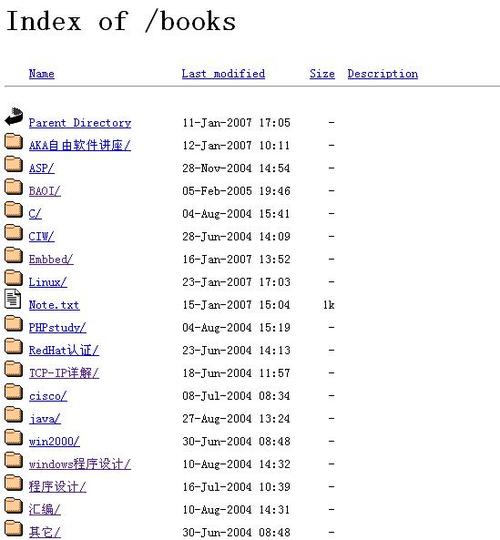
- Article Channel (ID: 1)
- Category: News (ID: 5)
- Category: Tutorials (ID: 6)
- Download Channel (ID: 3)
Example 1: List Articles from the Default Article Channel (ID: 1)
This will list the latest 10 articles from all categories within the main article channel.
<h2>Latest Articles</h2>
<ul>
    {dede:list channelid='1' row='10'}
        <li>
            <a href="[field:arcurl/]" title="[field:title/]">[field:title function='cn_substr(@me, 30)'/]</a>
            <small>[field:pubdate function="MyDate('Y-m-d',@me)"]</small>
        </li>
    {/dede:list}
</ul>
Example 2: List Articles from a Specific Category (e.g., Tutorials, ID: 6)
This is the most common use case. You want to show articles only from a certain category.
<h2>Tutorials</h2>
<ul>
    {dede:list channelid='1' typeid='6' row='8' titlelen='25'}
        <li>
            <a href="[field:arcurl/]">[field:title/]</a>
        </li>
    {/dede:list}
</ul>
Example 3: List Files from the Download Channel (ID: 3)
This will list the latest 5 downloads from the download channel.
<h2>Latest Downloads</h2>
<ul>
    {dede:list channelid='3' row='5'}
        <li>
            <a href="[field:arcurl/]">[field:title/]</a>
            <span>Size: [field:filesize function="sizecount(@me)"]</span>
        </li>
    {/dede:list}
</ul>
Important Considerations and Common Issues
A. The channelid vs. typeid Relationship
channelidspecifies the content type (Articles, Downloads, etc.).typeidspecifies the category within that content type.
If you use typeid without channelid, DedeCMS will default to channelid='1' (the Article Channel). If you specify a typeid that belongs to a different channel (e.g., a category from the Download Channel), the list will be empty because it's looking for that category in the wrong place.
Best Practice: Always specify both channelid and typeid if you are listing from a specific category to avoid ambiguity and errors.
<!-- Correct: List from category 6 (Tutorials) in the Article Channel (ID: 1) -->
{dede:list channelid='1' typeid='6' ...}
<!-- Incorrect: This will look for category 6 in the Article Channel, not the Download Channel -->
{dede:list typeid='6' ...}
B. Channel IDs in Your Specific Installation
The channel IDs (1, 2, 3, 4) are the default values. However, if you have heavily customized your DedeCMS installation or added new channels (e.g., a "Video" channel), the IDs might be different.
How to find your channel IDs:
- Log in to your DedeCMS backend.
- Go to [核心] -> [频道管理] (Core -> Channel Management).
- You will see a list of all your channels. The ID is the number in the first column.
C. Using arclist Instead of list
For most listing pages on a website, the {dede:arclist} tag is more common and flexible than {dede:list}.
{dede:arclist}: Calls a list of articles. It's designed for displaying lists on category pages, homepage sections, etc. It supports many more parameters and is generally more powerful.{dede:list}: Calls a list of articles and is primarily used for paginated lists. It automatically handles pagination logic.
arclist example (often preferred):
{dede:arclist channelid='1' typeid='6' row='8' titlelen='25'}
    <li>
        <a href="[field:arcurl/]">[field:title/]</a>
    </li>
{/dede:arclist}
Summary Table
| Attribute | Purpose | Example |
|---|---|---|
channelid |
Mandatory. Specifies the content channel (Articles, Downloads, etc.). | channelid='1' (for Articles) |
typeid |
Optional. Filters results to a specific category ID within the channel. | typeid='5' (for a specific category) |
row |
Optional. Number of items to display. | row='10' |
In conclusion, channelid in the dede:list tag is essential for telling DedeCMS which "content bucket" to draw articles from. Always pair it with typeid when listing from a specific category to ensure you get the correct results.


