


Of course. The file sitemap.htm is a crucial part of the DEDECMS (DedeCMS) content management system. Let's break down what it is, how it works, and how you can manage it.
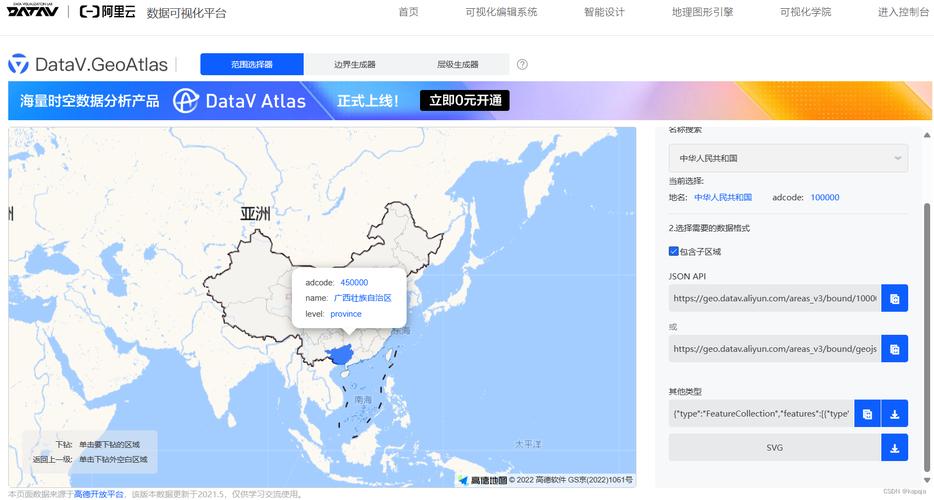
What is sitemap.htm?
In simple terms, sitemap.htm is an HTML Sitemap for your DEDECMS website.
- HTML Sitemap: This is a web page that lists all the important pages on your site, organized in a hierarchical structure. It's designed primarily for human users to help them navigate your website and find content they are looking for.
- Contrast with XML Sitemap: It's important not to confuse this with an
sitemap.xmlfile. An XML sitemap is a machine-readable file that you submit to search engines (like Google, Bing, Baidu) to help them crawl and index your site more efficiently.
So, sitemap.htm is a user-friendly page that serves as a table of contents for your entire website.
What is its Purpose?
- Improved User Experience (UX): It provides a clear overview of your site's structure, making it easy for visitors to find what they need without excessive clicking or searching. This reduces bounce rates and increases user engagement.
- SEO (Search Engine Optimization): While not a direct ranking factor, a well-structured HTML sitemap helps search engine bots discover all the pages on your site. It establishes a clear internal linking architecture, which is beneficial for SEO.
- Site Accessibility: It's particularly helpful for large websites with hundreds or thousands of pages, where a simple menu navigation isn't enough.
How Does DEDECMS Generate sitemap.htm?
DEDECMS has a built-in system to automatically generate this file. It does this by fetching links from specific sections of your website, typically:
- Channel Categories (栏目): The main sections of your site (e.g., Home, News, Products, About Us, Contact).
- Article Content (文章): The individual articles or posts within those channels.
The system usually creates two versions:
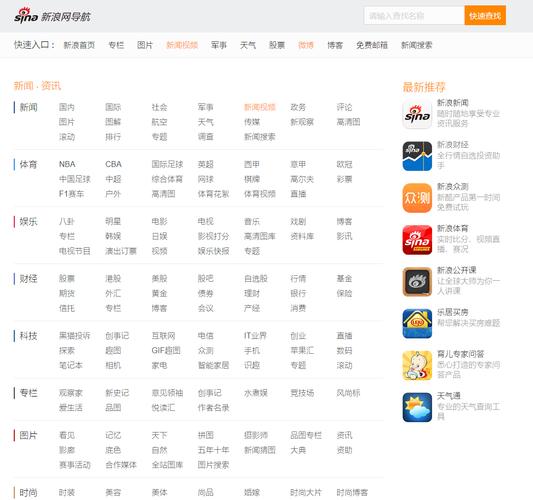
sitemap.htm(HTML Sitemap): The human-readable version.sitemap.xml(XML Sitemap): The search engine-readable version.
Both are typically generated from the same set of data but formatted differently.
How to Manage and Regenerate sitemap.htm
The most common reason you'll be looking for this file is to regenerate it after you've added new content (new articles, new channels, etc.). Here’s how you do it in the DEDECMS backend.
Method 1: The Standard "Generate Sitemap" Tool (Recommended)
This is the most common and straightforward method.
-
Log in to your DEDECMS Backend: Go to
www.yourdomain.com/dede/(or your admin folder name) and log in with your username and password. (图片来源网络,侵删)
 -
Navigate to the Sitemap Generator:
- In the left-hand menu, find and click on
系统(System). - Hover over
Sitemap(Sitemap) in the submenu. - Click on
一键更新网站地图(One-Click Update Website Sitemap).
- In the left-hand menu, find and click on
-
Configure and Generate:
- You will be taken to a page with settings for generating the sitemap.
主页名称(Homepage Name): Usuallyindex.htm.主页路径(Homepage Path): Usually .栏目设置(Channel Settings): You can choose which channels to include. Usually, you'll select all of them.内容设置(Content Settings): You can set the number of articles to include from each channel. A common setting is to include the latest 100-500 articles per channel to prevent the file from becoming too large.文件保存路径(Save Path): This is usually (the root directory of your website), meaning the files will be created atwww.yourdomain.com/sitemap.htmandwww.yourdomain.com/sitemap.xml.文件保存名称(Save Name): This is the filename, usuallysitemap.附加网址(Additional URLs): You can add any static pages that aren't part of the dynamic content system (e.g.,contact.html,about.html).生成文件类型(Generate File Type): Make sure bothHTMLandXMLare checked.
-
Click "Generate": At the bottom of the page, click the "生成" (Generate) button.
The system will now process your site's structure and content, and within a few moments, it will generate the sitemap.htm and sitemap.xml files in your website's root directory.
Method 2: Using a Custom Template
If you want more control over the design and layout of your sitemap.htm, you can use a custom template.
-
Create a Template File:
- Go to
模板->默认模板管理(Template -> Default Template Management). - Create a new HTML file. You can name it
sitemap_default.htm. - Inside this file, you use DEDECMS template tags to loop through and display your channels and articles.
Example
sitemap_default.htmcode:<!DOCTYPE html> <html> <head> <meta charset="UTF-8">网站地图 - {dede:global.cfg_webname/}</title> <meta name="keywords" content="网站地图" /> <meta name="description" content="{dede:global.cfg_webname/}网站地图,提供网站所有栏目和文章链接。" /> <link rel="stylesheet" href="{dede:global.cfg_templets_skin/}/style.css"> </head> <body> {dede:include filename="head.htm"/} <div class="sitemap-container"> <h1>网站地图</h1> <ul> {dede:channel type='top' row='100'} <li><a href="[field:typelink/]">[field:typename/]</a></li> {/dede:channel} </ul> <h2>最新文章</h2> <ul> {dede:arclist titlelen='60' row='50' orderby='pubdate'} <li><a href="[field:arcurl/]">[field:title/]</a></li> {/dede:arclist} </ul> </div> {dede:include filename="footer.htm"/} </body> </html> - Go to
-
Specify the Template:
- Go back to the
系统->Sitemap->一键更新网站地图page. - Find the field for
自定义模板文件(Custom Template File). - Enter the name of your template file:
sitemap_default.htm. - Click "Generate". The system will now use your custom template to build the
sitemap.htmfile.
- Go back to the
Troubleshooting: sitemap.htm is Missing or Not Updating
- File Not Found: Check the
文件保存路径setting in the generator tool. It might be set to a subdirectory instead of the root. - Old Content: Make sure you click the "生成" button every time you add significant new content. The sitemap is not updated in real-time.
- Permissions Issue: The web server user (like
www-dataorapache) needs permission to write files to the directory where the sitemap is being saved (usually your website's root folder). Check the folder permissions (e.g.,755or775). - Error During Generation: Check the DEDECMS system logs or PHP error logs for any specific error messages that might indicate a problem (e.g., database connection issue, timeout).
Summary
| Feature | Description |
|---|---|
| What it is | An HTML sitemap page (sitemap.htm) for users. |
| Purpose | Improves site navigation (UX) and helps SEO. |
| How to Update | Use the 系统 -> Sitemap -> 一键更新网站地图 tool in the DEDECMS backend. |
| Customization | You can create a custom template (e.g., sitemap_default.htm) for a unique design. |
| Related File | It is often generated alongside sitemap.xml, which is for search engines. |


