


Of course! Let's break down the dede:include tag in detail. This is one of the most fundamental and frequently used tags in the DedeCMS (织梦内容管理系统) template engine.
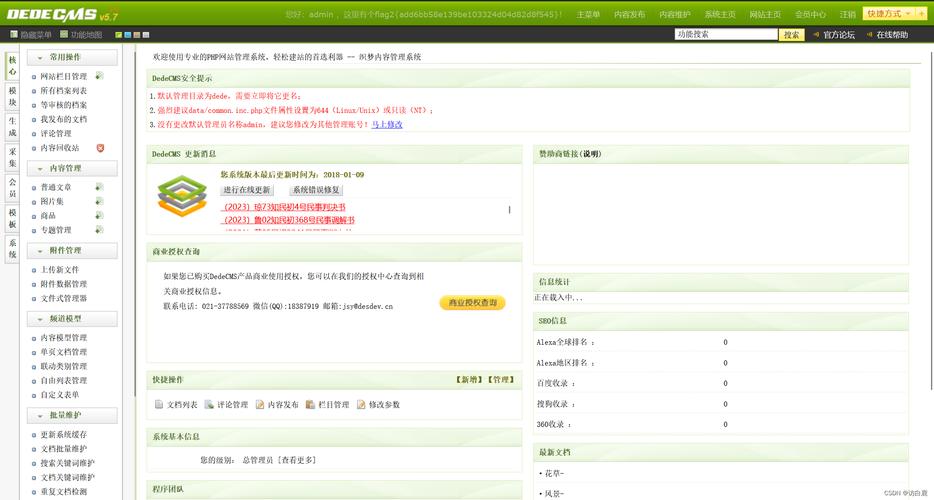
What is dede:include?
The dede:include tag is used to include or embed the content of another file into your current template. Think of it like a "copy-paste" operation that happens automatically when the page is generated. It's the primary mechanism for creating reusable layout components in DedeCMS, such as headers, footers, sidebars, and navigation menus.
This approach follows the DRY (Don't Repeat Yourself) principle. If you have a piece of code (like a footer) that appears on 50 pages, you only need to edit one footer file instead of 50.
Basic Syntax
The basic syntax of the dede:include tag is very simple:
{dede:include filename='path/to/your/file.htm' /}
{dede:include ... /}: This is the opening and closing tag.filename='...': This is the required attribute. It specifies the path to the file you want to include.
Key Attributes
The filename attribute is the most important, but there are others that offer more control.

filename (Required)
This attribute defines the path to the file to be included. The path can be absolute or relative.
-
Relative Path (Recommended): Relative to the current template file's location.
{dede:include filename='head.htm' /}- Includeshead.htmin the same directory.{dede:include filename='../common/header.htm' /}- Includesheader.htmfrom thecommondirectory, one level up.
-
Absolute Path: Starts from the root directory of your DedeCMS installation.
{dede:include filename='/templets/default/head.htm' /}- This is less portable and not recommended if you plan to move your site.
isapi (Optional)
This attribute is used to include files processed by the DedeCMS engine. When isapi='f' is set, DedeCMS will parse the included file for other DedeCMS tags (like {dede:arclist}) before embedding it.
- Usage:
{dede:include filename='hotnews.htm' isapi='f' /} - When to use it:
- When the included file (e.g.,
hotnews.htm) contains other DedeCMS tags that need to be executed. - For example, if
hotnews.htmcontains an{dede:arclist}tag to fetch the latest articles, you must useisapi='f'for those articles to appear on the final page.
- When the included file (e.g.,
- Default: If you omit
isapi='f', the file is included as plain text, and any DedeCMS tags within it will be displayed as literal text (e.g.,{dede:arclist}) and not be executed.
runphp (Optional)
This is a powerful attribute that allows you to execute PHP code within the included file.
- Usage:
{dede:include filename='dynamic_menu.htm' runphp='yes' /} - How it works:
- The content of
dynamic_menu.htmis read. - Any PHP code within
<?php ... ?>tags inside that file is executed. - The output of the PHP code (or the entire file content if no PHP is present) is then embedded into the main page.
- The content of
- Use Case: Generating dynamic content, like a user-specific greeting or a menu that changes based on the time of day. Use with caution, as it can introduce security risks if not handled properly.
Practical Examples
Let's imagine you have a typical website structure:
/
├── templets/
│   └── default/
│       ├── index.htm          (Your homepage template)
│       ├── article_article.htm (Single article template)
│       ├── head.htm           (The HTML <head> section)
│       ├── footer.htm         (The website footer)
│       └── sidebar.htm        (The sidebar with navigation)
Example 1: Creating a Reusable Header
File: head.htm
<!DOCTYPE html>
<html lang="zh-CN">
<head>
    <meta charset="UTF-8">{dede:global.cfg_webname/}</title>
    <link rel="stylesheet" href="/templets/default/style.css">
</head>
<body>
    <header>
        <h1><a href="{dede:global.cfg_basehost/}">{dede:global.cfg_webname/}</a></h1>
        <nav>
            <!-- Your main navigation menu -->
        </nav>
    </header>
Using it in index.htm:
{dede:include filename='head.htm' /}
<main>
    <h2>Welcome to our Homepage!</h2>
    <!-- Homepage content here -->
</main>
{dede:include filename='footer.htm' /}
Example 2: Including a Dynamic Sidebar
File: sidebar.htm
This file contains a DedeCMS tag to fetch a list of articles.
<aside>
    <h3>Popular Articles</h3>
    {dede:arclist titlelen='50' row='10'}
    <li><a href="[field:arcurl/]">[field:title/]</a></li>
    {/dede:arclist}
</aside>
Using it in index.htm:
Since sidebar.htm contains the {dede:arclist} tag, you must use isapi='f'.
{dede:include filename='head.htm' /}
<div class="container">
    <main>
        <!-- Main content -->
    </main>
    {dede:include filename='sidebar.htm' isapi='f' /}
</div>
{dede:include filename='footer.htm' /}
Best Practices and Important Considerations
- Use Relative Paths: For portability, always use relative paths for your
filenameattribute. This makes your theme easy to move or share. - Naming Convention: Use clear and descriptive names for your include files (e.g.,
header.htm,footer_left.htm,product_sidebar.htm). - Security with
runphp: Therunphp='yes'feature is powerful but can be a security risk. It allows the execution of arbitrary PHP code. Only use it on files you trust and be extremely careful with user-supplied data. - Performance: DedeCMS processes these includes during page generation. For a site with hundreds of includes on a single page, there could be a minor performance impact, but for standard websites, it's negligible and well worth the benefit of maintainability.
- Avoid Nested Loops (Carefully): Be cautious when including files that contain loops (like
{dede:arclist}) inside other loops. This can sometimes lead to unexpected behavior or performance issues on very complex pages. If you need to pass data to an included file, it's often better to use a DedeCMS tag like{dede:channel}or{dede:arclist}directly in the main template and style it with CSS, rather than usingincludewithisapi='f'.
Summary: include vs. php include
| Feature | dede:include |
PHP include / require |
|---|---|---|
| When it Runs | Server-Side, during DedeCMS page parsing. | Server-Side, during PHP script execution. |
| Scope | Works within the DedeCMS template system. | Works within the global PHP scope. |
| DedeCMS Tags | Can parse tags in the included file if isapi='f' is used. |
Cannot parse DedeCMS tags. The file is included as raw PHP/HTML. |
| Use Case | Best for including HTML snippets and DedeCMS components (headers, footers, sidebars). | Best for including PHP libraries, configurations, or when you need to work with PHP variables/functions from the main PHP script. |
In conclusion, dede:include is an essential tool for any DedeCMS developer. Mastering it will make your templates cleaner, more maintainable, and far more efficient.


